
Seasonal Billing Complexity
Landscaping is highly seasonal, making it difficult to keep track of recurring services and timely payments.
Mobile invoicing for Outdoor
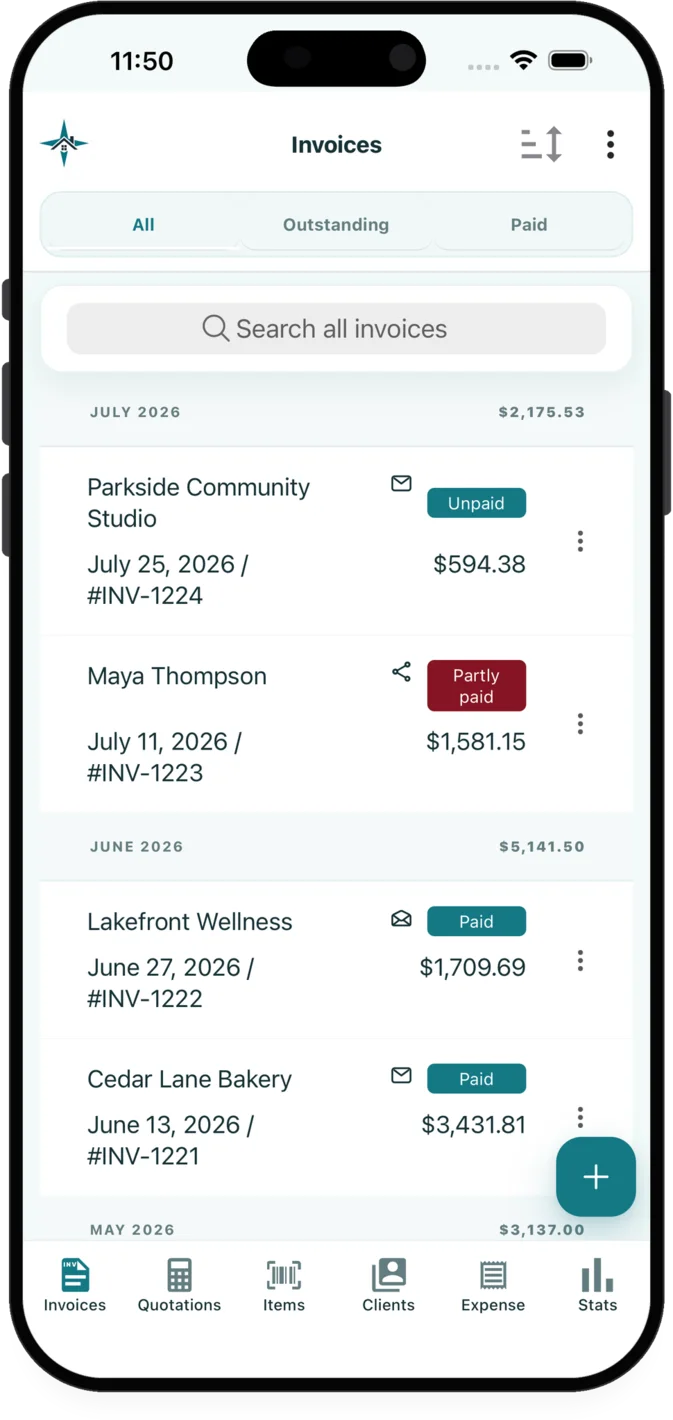
InvoiceXpress gives landscapers access to quotes and invoices from the app, recurring invoices and follow-ups, customer payment requests from an app for iOS and Android.
The administrative work
Landscapers often need to account for seasonal billing and recurring lawn care. InvoiceXpress connects the customer, quote, invoice, payment and supporting records used for that work in an app for iOS and Android.
Landscaping is highly seasonal, making it difficult to keep track of recurring services and timely payments.
Effective communication with clients is crucial for building trust and maintaining long-term relationships.
Managing job photos, client records, and financial documents can be overwhelming without the right tools.
Relevant features
These capabilities are selected for the workflow described on this page.
Create, edit, preview and send quotations and invoices on iOS or Android. Convert an accepted quotation into an invoice without re-entering its customer or line items.
Create recurring invoice schedules and staged invoice or quotation follow-ups that stop when the related document is resolved.
Request a full balance, percentage or exact amount, and provide a customer payment link or scan-to-pay QR code.
Industry example
Seasonal maintenance and one-time installation work should not look like the same service. Separate descriptions make recurring invoices easier to review and keep project materials visible to the customer.
| Example line item | Possible unit | What the description can clarify |
|---|---|---|
| Scheduled property maintenance | visit | Services included in each visit |
| Planting or installation labour | hour | Project labour outside routine maintenance |
| Plants, soil and materials | allowance | Project materials listed by category |
Examples are starting points only. Businesses should review descriptions, prices, taxes and terms for each customer and jurisdiction.
Read the payment-reminder guideA practical sequence
Select or add the customer, reuse saved services or materials, enter the scope and pricing, then review the quotation preview.
Email the quotation or invoice with relevant attachments, or share its customer page through the device share sheet.
Use the selected customer payment requests tools alongside document activity, payment and balance records.
Explore related workflows
FAQ
Landscapers can create, preview and send quotations or invoices in InvoiceXpress on iOS or Android. An accepted quotation can also be converted into an invoice without re-entering its customer and line items.
A quotation can include customer details, scope notes, reusable services or materials, quantities, units, taxes, discounts, photos and payment terms. Review the finished document before sending it.
Yes. InvoiceXpress can request the full balance, a percentage or an exact amount through a customer payment link or scan-to-pay QR code.
Available on iOS and Android
Create customer documents, record payments and expenses, and review business activity from iOS or Android.